

Coolmuster Android Assistant 6.0
Backs up and manages the content of drives on Android devices
Program info
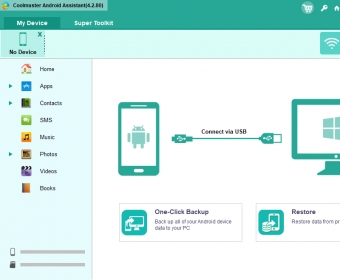
Access and manage media content stored on the drive of an Android device by connecting it to a PC and removing, adding or transferring selected files. The program is capable of automatically creating backup copies for quick restoration of data such as contacts, SMS, call logs, apps, etc.
This utility is an Android file manager that enables you to transfer data between your Android device and your Windows PC. The program might come in handy if you're looking for a quick way to back up the app data, contacts, music or videos from your Android smartphone and tablet to your computer.
Coolmuster Android Assistant features a user-friendly interface, supports Android gadgets from various manufacturers, and allows you transfer a wide variety of files between the connected devices and your PC. Furthermore, it's packed with a search tool that helps you immediately find the Android file you wish to back up to your computer. You can select multiple files for the backup process, import new data from your PC to your Android gadget, and delete files from your smartphone or tablet if needed.
In addition, the application gives you access to an option to quickly back up or restore all data from the connected Android device to your computer.
Sadly, Coolmuster Android Assistant comes with a couple of flaws. For starters, unlike other Android file managers designed for Windows PCs, this program doesn't feature a built-in media player to allow you to preview or pre-listen the files within the connected device. More
Pros
- Works with devices from various manufacturers
- Comes with a search tool
- Helps you back up Android app data to your PC
- Lets you transfer various types of files between your Android device and your PC
Cons
- The trial version only lets you preview the files within the connected Android device
- Doesn't let you pre-listen Android songs
Details
Extensions

No information available
The data will be available later.Awards

There are no awards
Over time, app awards will appear here.


Comments